Ask in plain English.
Get the answer back.
No SQL to write, no ticket to raise, no waiting on the data team. Point Analyst at your data and ask the question you actually have.
One of the four named agents on Enterprise, where a data team runs them one at a time and signs off on each. On the free and Everyday plans the same engine arrives as a single assistant — you hand it a file and it gets on with it.
The question is easy. Getting the answer isn’t.
The queue
A simple question about last quarter goes into a backlog behind everything else the data team is carrying.
The translation
You know what you want to ask. Turning it into SQL that joins the right tables correctly is somebody else’s job.
The staleness
By the time the answer arrives, the decision it was meant to inform has already been made without it.
Three steps, and you see all of them.
Nothing happens off-screen. Each step is shown before the next one starts.
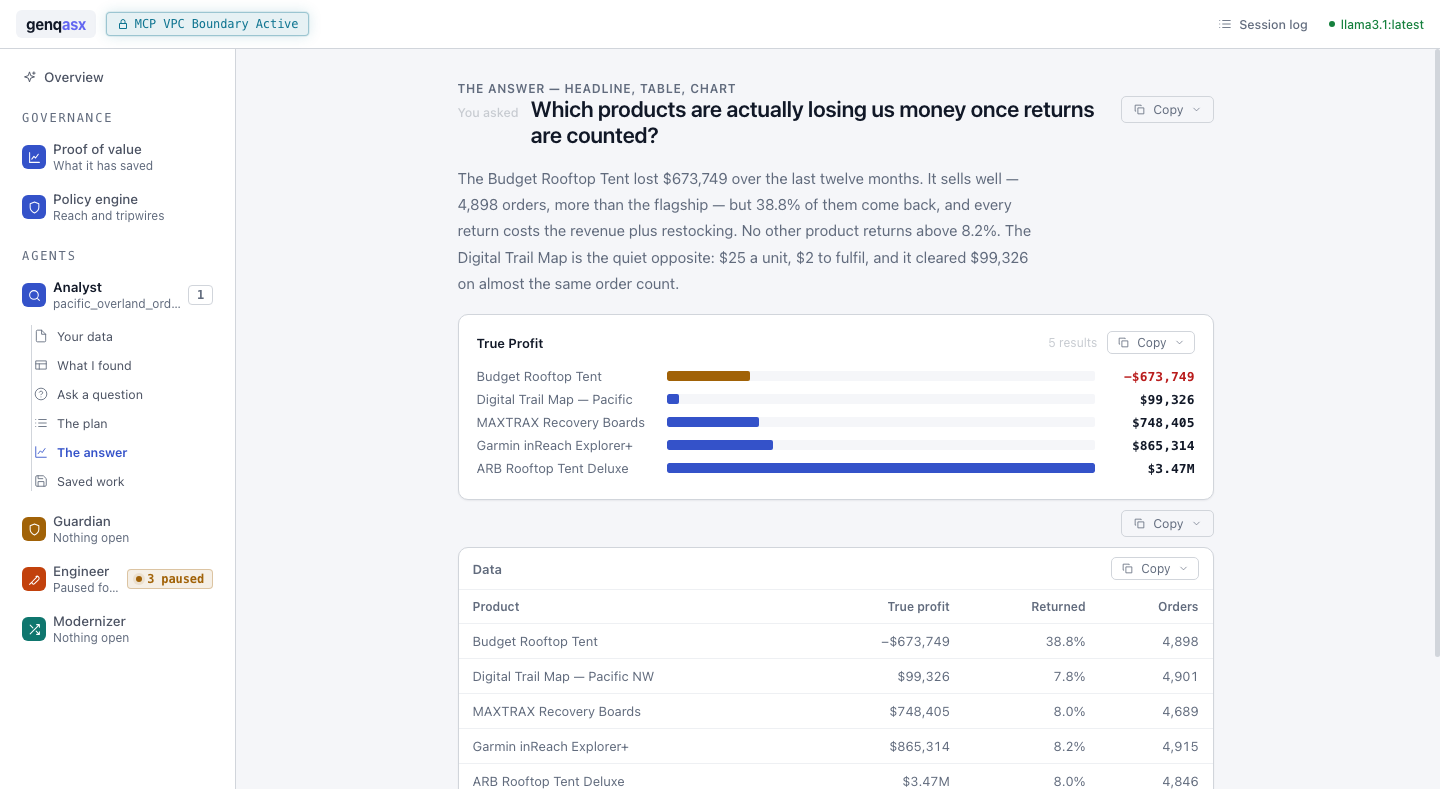
You ask: “What was revenue in the west region?”
It writes the query and shows it to you before running — nothing hidden, nothing executed unseen.
→ $2.1M across 42,013 orders, as a table you can open in Excel.
Analyst in full
Everything Analyst does, and what each one is actually for.
Ask the way you would ask a colleague. Nothing to configure, no query language to learn first.
The exact query appears before it runs. Nothing touches your data until you have read what it plans to do.
Answers come back as tables your team can open, sort, and forward without reformatting anything.
Every question and answer is kept, so the next person picks up where you left off instead of starting over.
The generated SQL is yours to keep, review, or hand to an engineer to fold into a real pipeline.
On your own machine it runs against a local file. Inside an organisation’s own network it runs against the warehouse there. Same questions either way.
Analyst is one of four
They share one workspace, one audit trail, and one set of connections to your data.
See Analyst run on your own data
It’s free to try on your machine — no account, no credit card.