Find what shouldn’t be there —
before it leaves.
Guardian scans the file the moment you hand it over, then gives back a signed report you can put in front of an auditor.
One of the four named agents on Enterprise, where a data team runs them one at a time and signs off on each. On the free and Everyday plans the same engine arrives as a single assistant — you hand it a file and it gets on with it.
You find out after it’s already gone.
The export nobody checked
A CSV goes to a partner with a column of national IDs in plain text that nobody thought to look for.
The audit
Risk surfaces months later in an audit finding, when remediation is expensive and the exposure window is already long.
The manual review
Checking by hand doesn’t scale past a few thousand rows, so in practice it stops happening at all.
Three steps, and you see all of them.
Nothing happens off-screen. Each step is shown before the next one starts.
Drop in a file — customer_master_export.csv
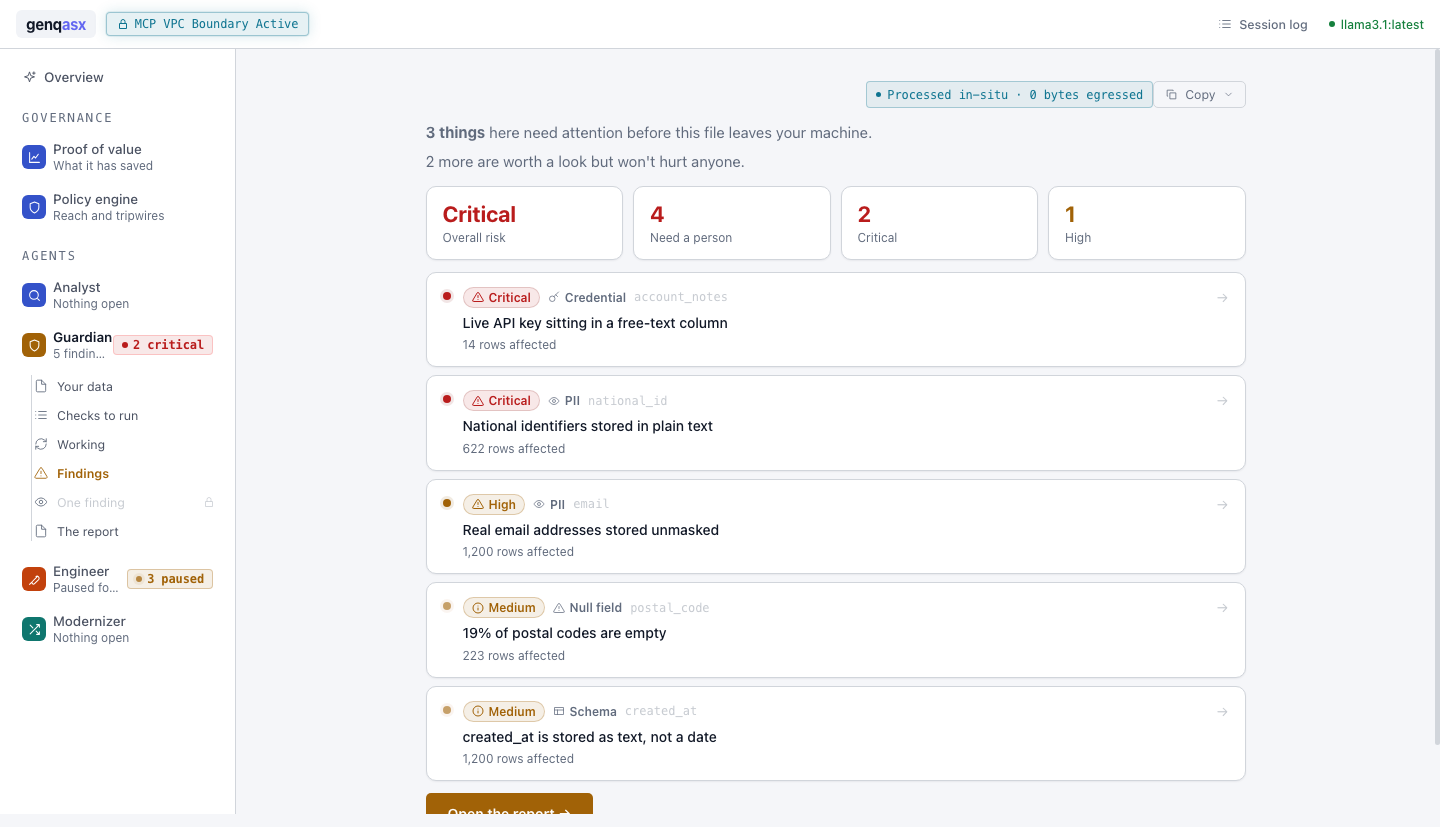
3 things need attention: 2 critical, 1 high, each with the rows that prove it.
→ 622 national IDs and a live API key, report ready to export
Guardian in full
Everything Guardian does, and what each one is actually for.
National IDs, card numbers, keys sitting in plain text — found by pattern and by statistics, not by guesswork.
Columns that changed shape and values that broke their own rules, flagged with the rows that prove it.
Findings are grouped the way the regulation reads, so the fix list lines up with the obligation.
A report naming what was found, where, and how many rows — ready to file rather than re-type.
Critical and high are assigned on exposure, not on a generic rule count, so the top of the list is the real top.
On the free and Everyday plans the scan happens on your machine. The file being checked for exposure is not itself uploaded anywhere.
Guardian is one of four
They share one workspace, one audit trail, and one set of connections to your data.
See Guardian run on your own data
It’s free to try on your machine — no account, no credit card.